
The Android Companion
Engineered for macOS.
Experience native iMessage-style SMS messaging, real-time AeroCast screen mirroring, wireless file exploration, and instant clipboard sync — zero cloud servers required.
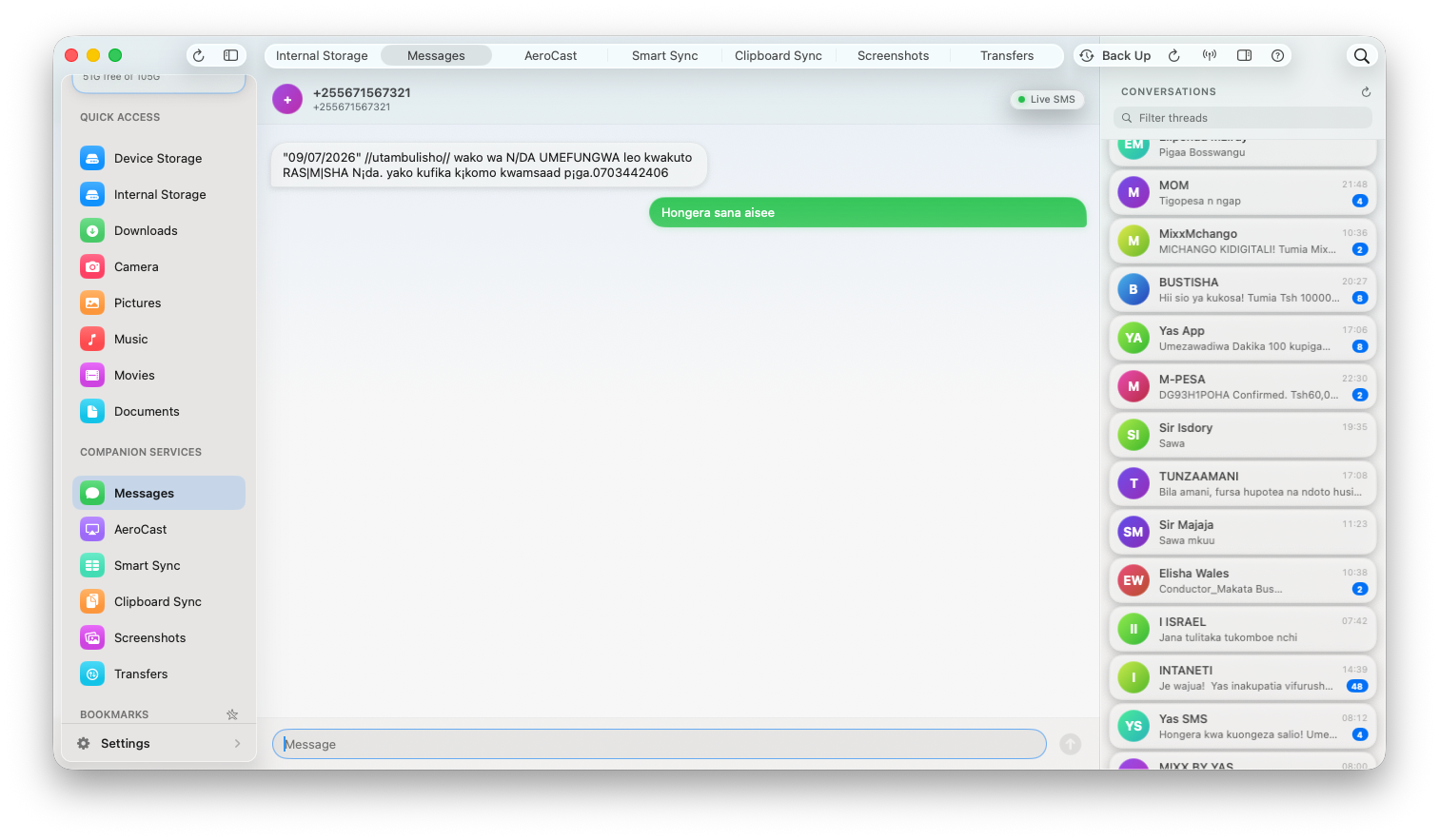
Designed for Ultimate Desktop Integration
Explore how DroidHouse brings your phone's notifications, SMS, storage, and screen straight to your Mac display.
Built for Performance, Privacy & Speed
No external servers, no subscription fees. DroidHouse runs completely locally on your Wi-Fi network.
Authentic iMessage Bubbles
Incoming and outgoing messages styled with Apple iMessage corner tail nudges, smooth spring animations, and automatic Swahili smart suggestions like "Hongera sana Aiseeee!!".
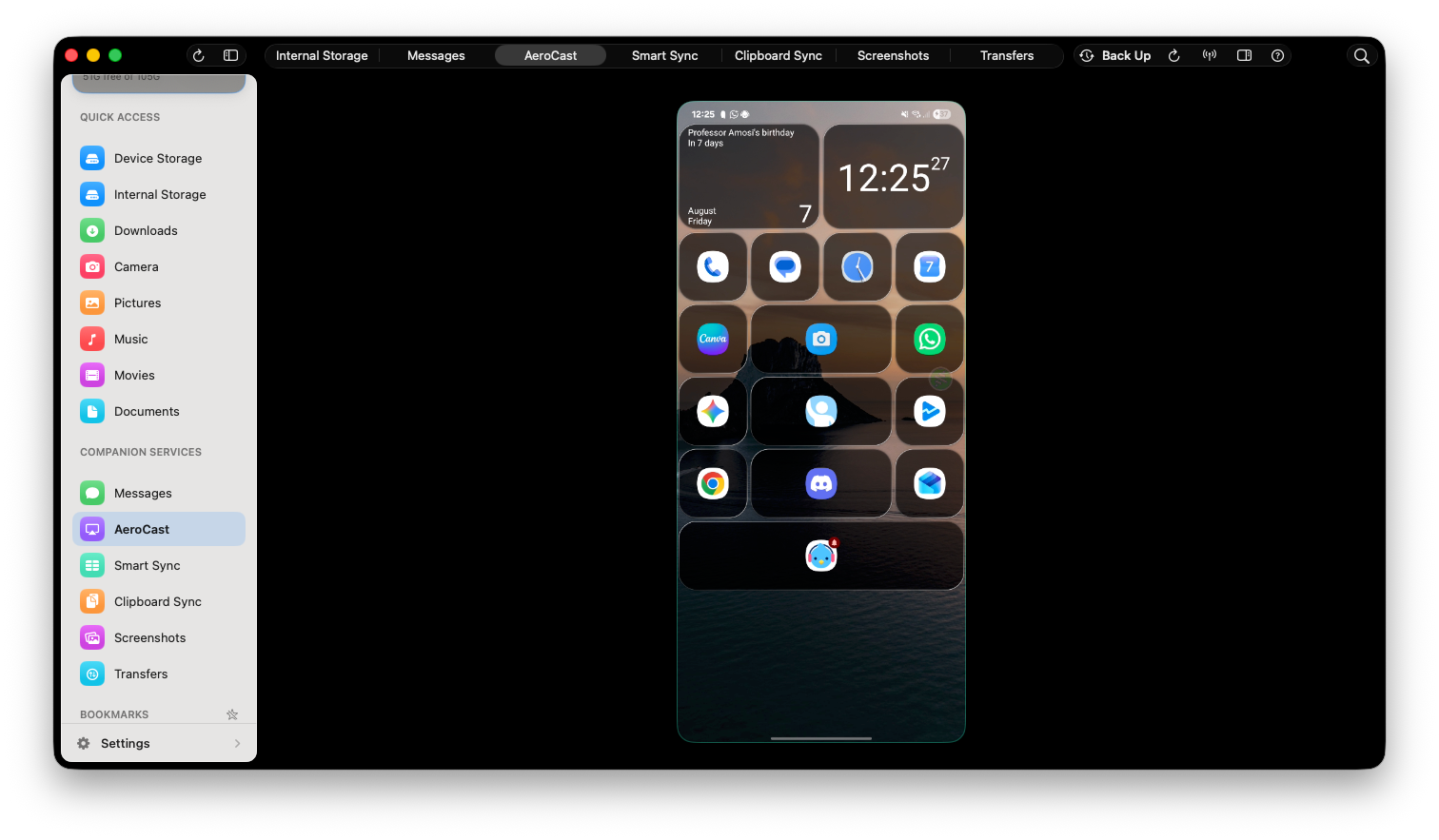
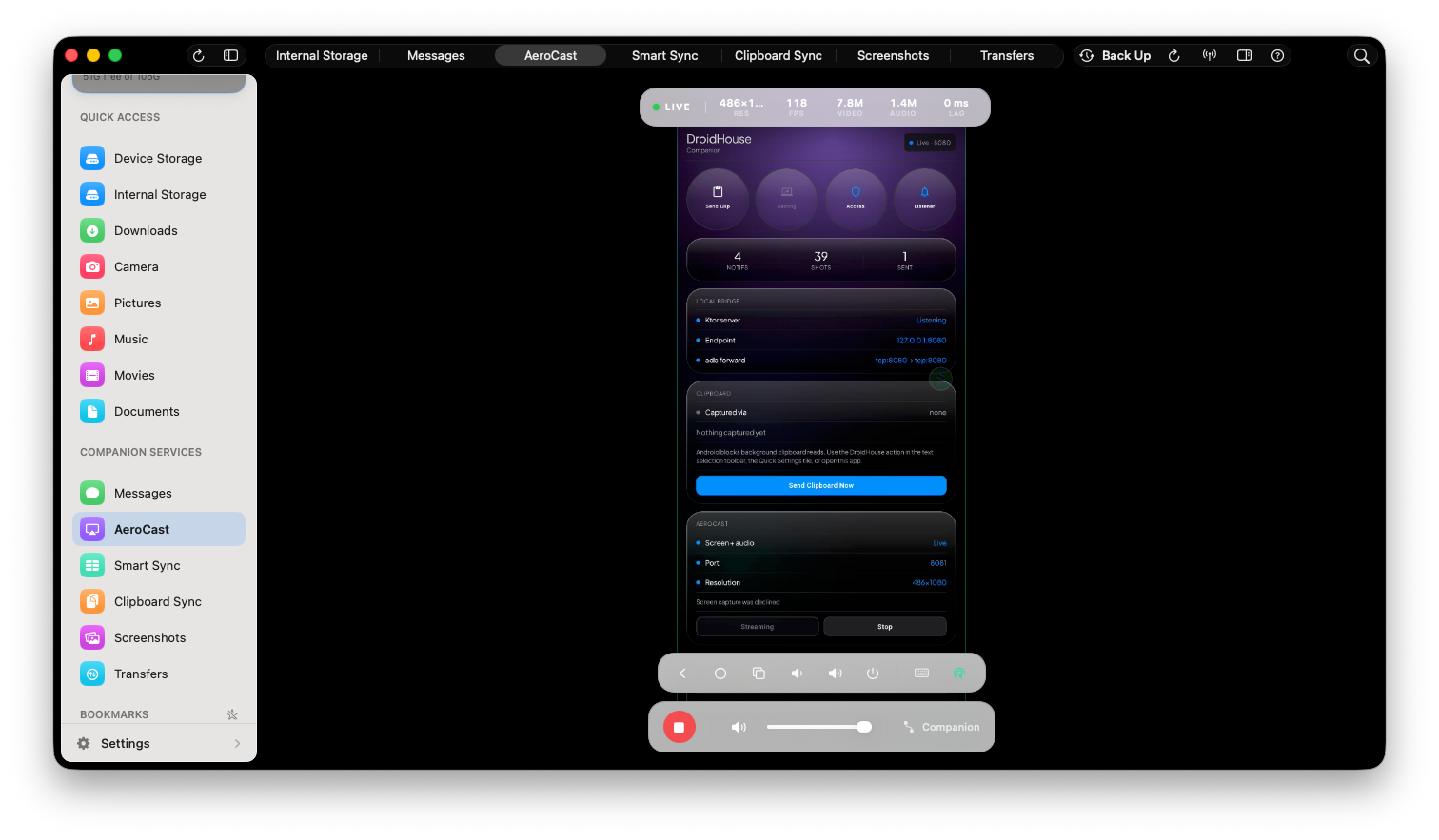
AeroCast Wireless Display
High FPS low-latency screen mirroring directly from Android to your Mac desktop, perfect for presentations, demos, and media playback.
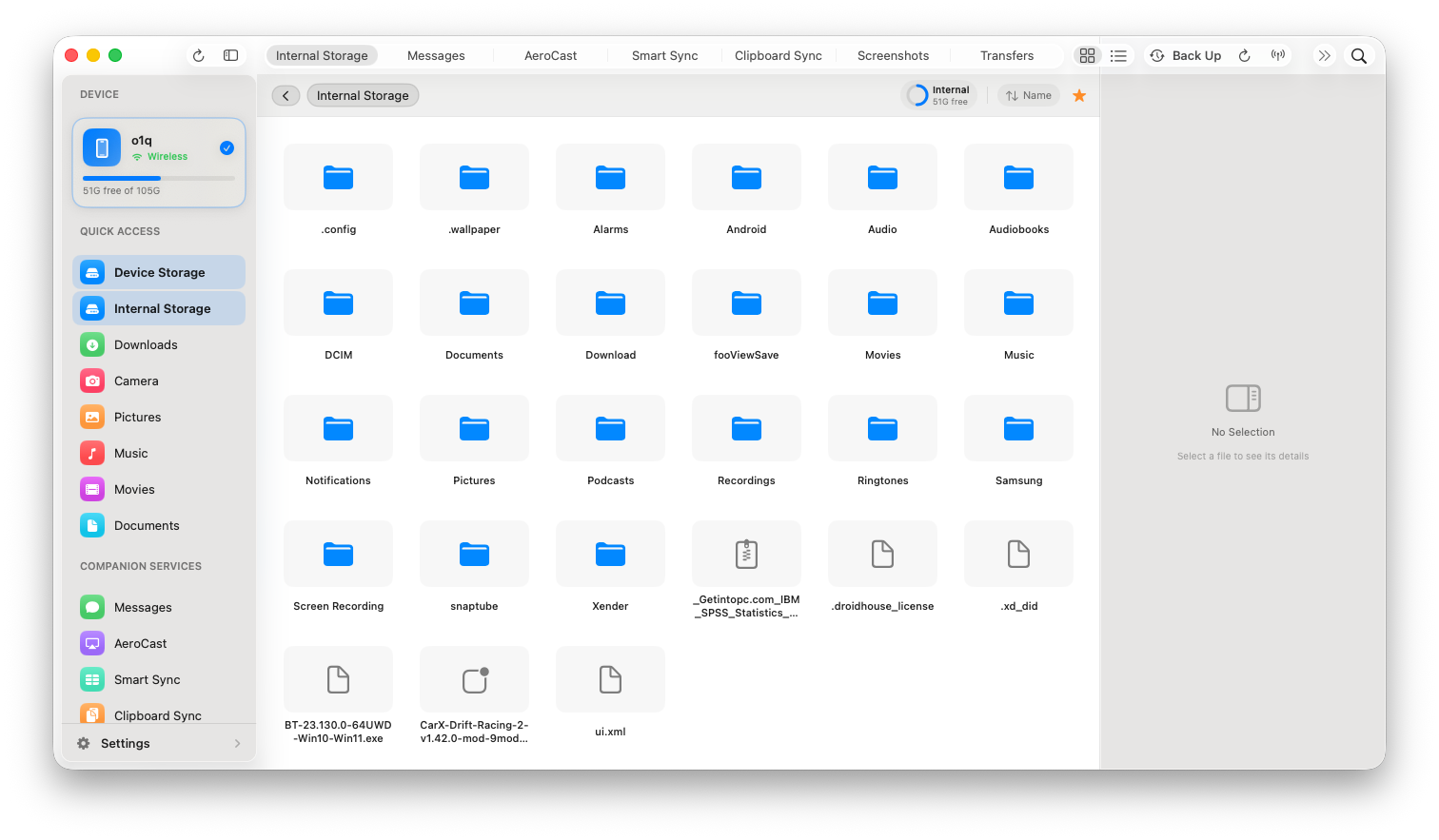
Wireless File Explorer
Access Android internal storage, SD Card, Pictures, and Downloads over local Wi-Fi. Drag-and-drop files seamlessly without plugging in cables.
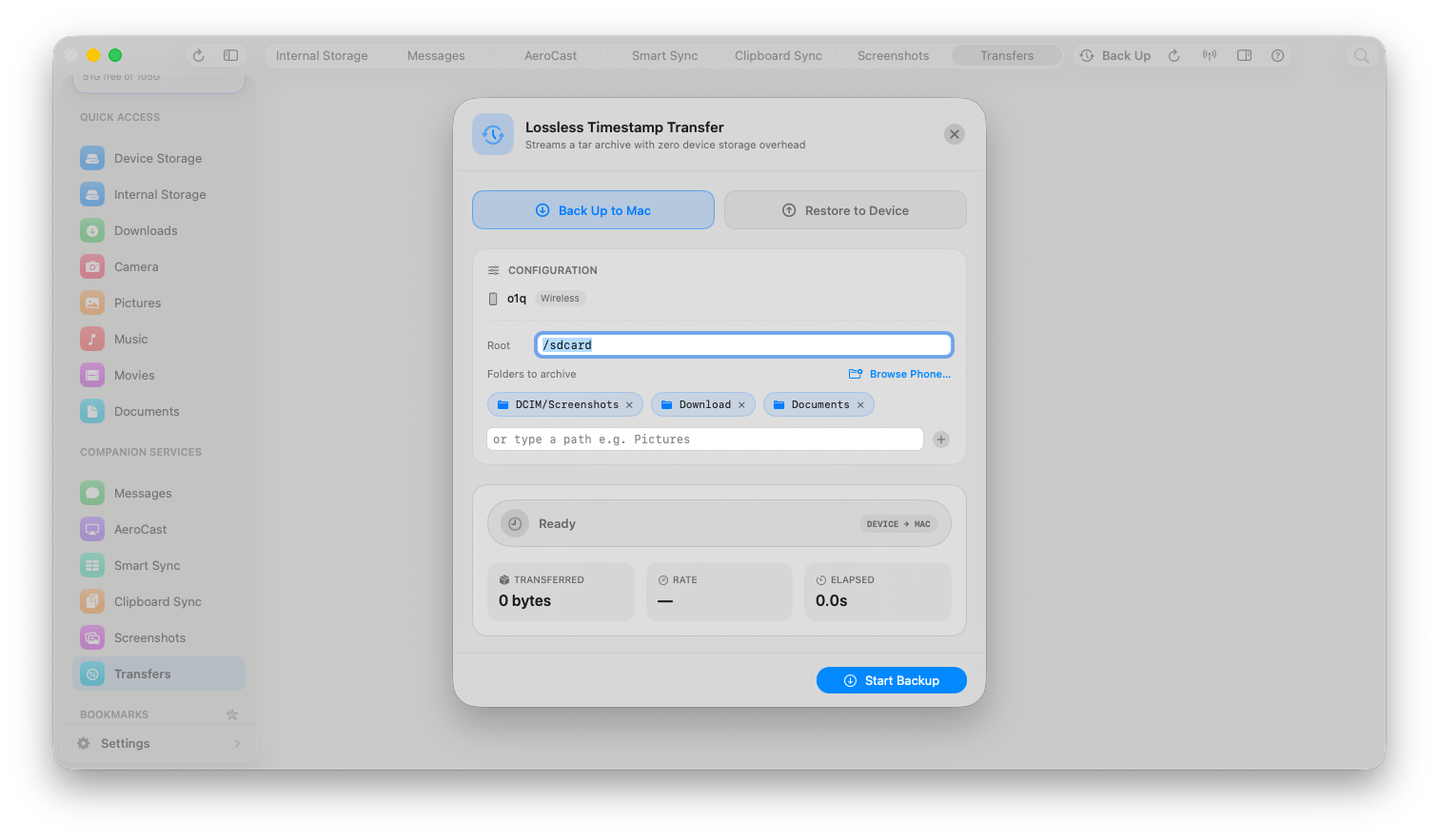
Local Phone Backup System
Full offline backup engine. Backup SMS messages, photos, and system configuration directly to your Mac SSD with zero cloud privacy risks.
Instant Clipboard Syncing
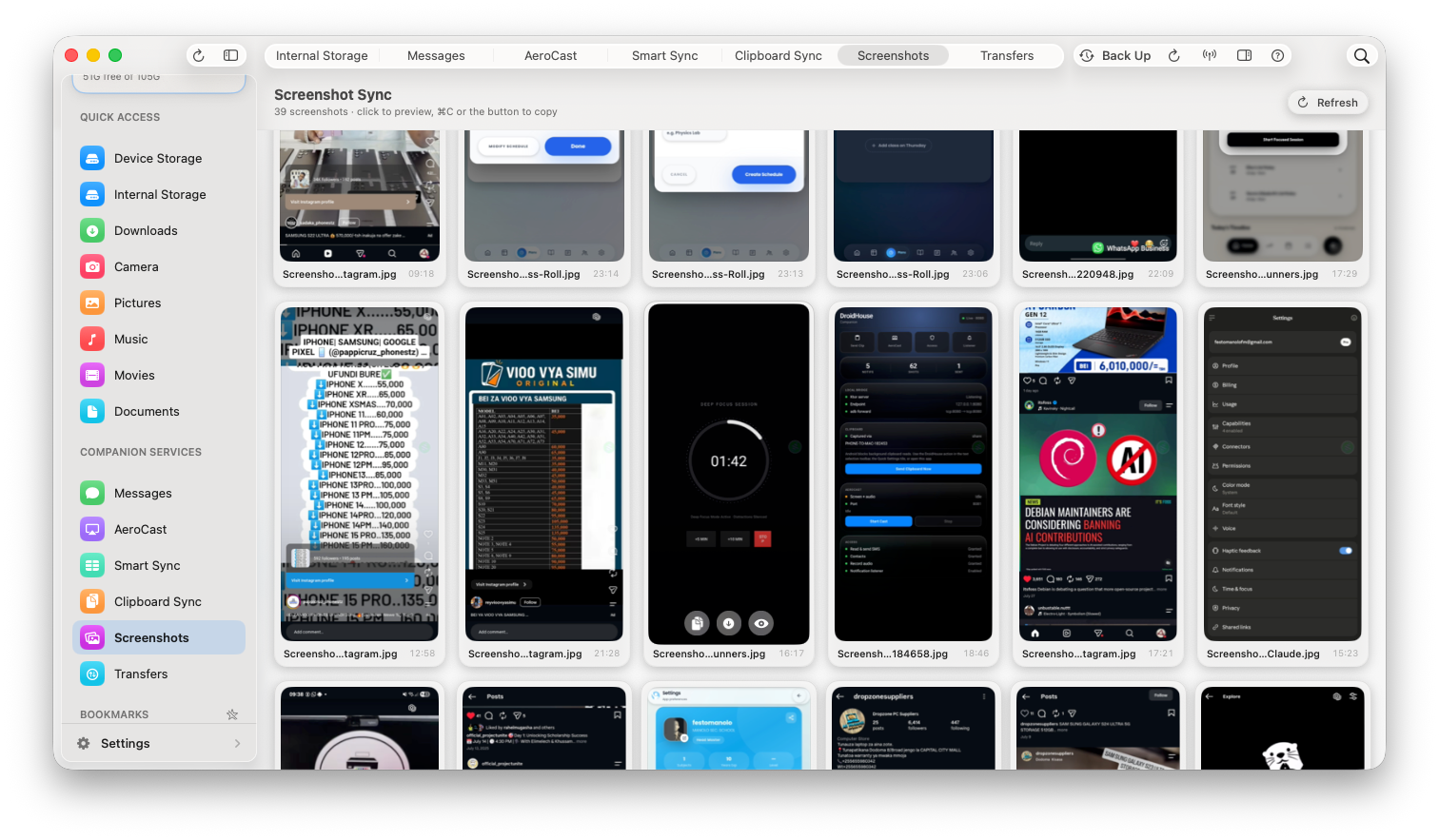
Copy text on your Android phone and paste it immediately on Mac. Remote screenshot capture with immediate preview & export.
Zero Cloud & 100% Private
All network communication occurs strictly on your local Wi-Fi router or direct ADB connection. Your personal texts & files never touch external servers.
Why DroidHouse Outperforms Generic Syncing
Experience true desktop integration without relying on cables or slow cloud bridges.
| Feature Capability | DroidHouse v1.3 | USB Cables / ADB Shell | Third-Party Cloud Sync |
|---|---|---|---|
| Native iMessage-Style SMS UI | Yes (with corner tail nudges) | No | No (Generic Web UI) |
| Real-Time Screen Mirroring | Yes (AeroCast High FPS) | Yes (scrcpy) | Slow / Heavy Lag |
| Wireless Storage Explorer | Yes (Drag & Drop) | Requires MTP cable | No |
| Swahili AI Smart Suggestions | Yes ("Hongera sana Aiseeee!!") | No | No |
| Offline Local Data Storage | 100% Private Local | Local | Sent to Cloud Servers |
| Instant Clipboard & Screenshot Sync | Yes | Manual ADB commands | Delayed |
How to Connect Mac and Android Wirelessly
Everything you need to know about setting up wireless SMS, screen mirroring, file transfers, and clipboard syncing between macOS and Android.
1. How to connect Mac and Android wirelessly with DroidHouse?
Simply download the DroidHouse macOS app (.dmg) and install the Android companion APK. When both devices join your home or workspace Wi-Fi network, DroidHouse automatically pairs them with end-to-end local network encryption — no cloud accounts or cables required.
2. Can I use iMessage interface for Android SMS on Mac?
Yes! DroidHouse translates incoming Android SMS messages into native macOS desktop notifications and a beautiful iMessage-inspired window with smooth scrolling, Swahili AI quick-replies, and instant sender avatars.
3. How to mirror Android screen to Mac wirelessly?
Use DroidHouse's built-in AeroCast engine. Click 'Screen Mirroring' on your Mac app to project your Android screen live in HD resolution over Wi-Fi, perfect for presentations, gaming, and app testing.
4. How to transfer files between Mac and Android wirelessly?
DroidHouse provides a native Wireless Storage Explorer. Browse internal storage, SD Card, camera DCIM photos, and Downloads directly from Mac, allowing instant file downloads and backups over your local network.
Upgrade Your Mac & Android Workflow Today
Download DroidHouse v1.3 for macOS and install the companion APK on your Android device to experience seamless wireless integration.